Docker
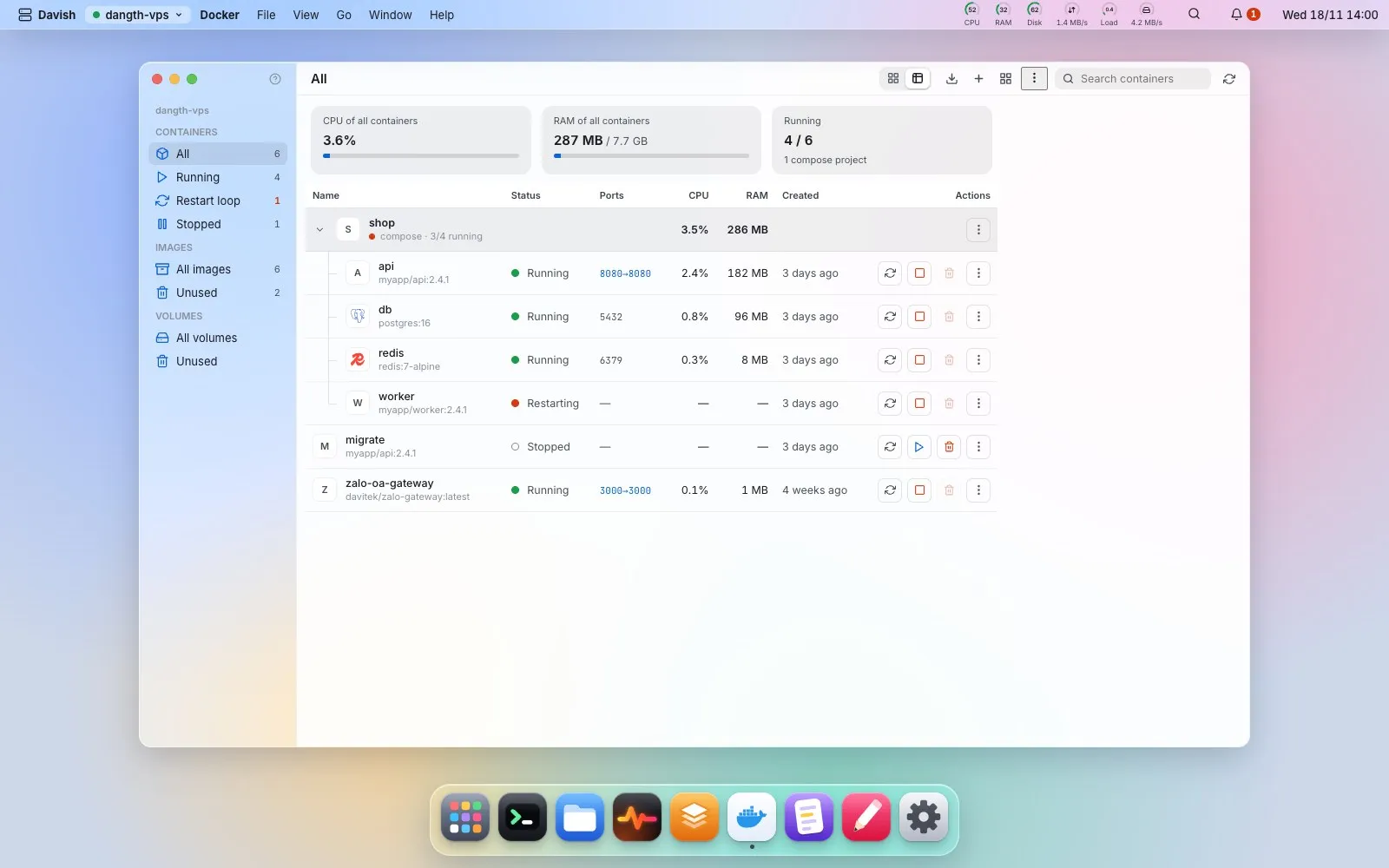
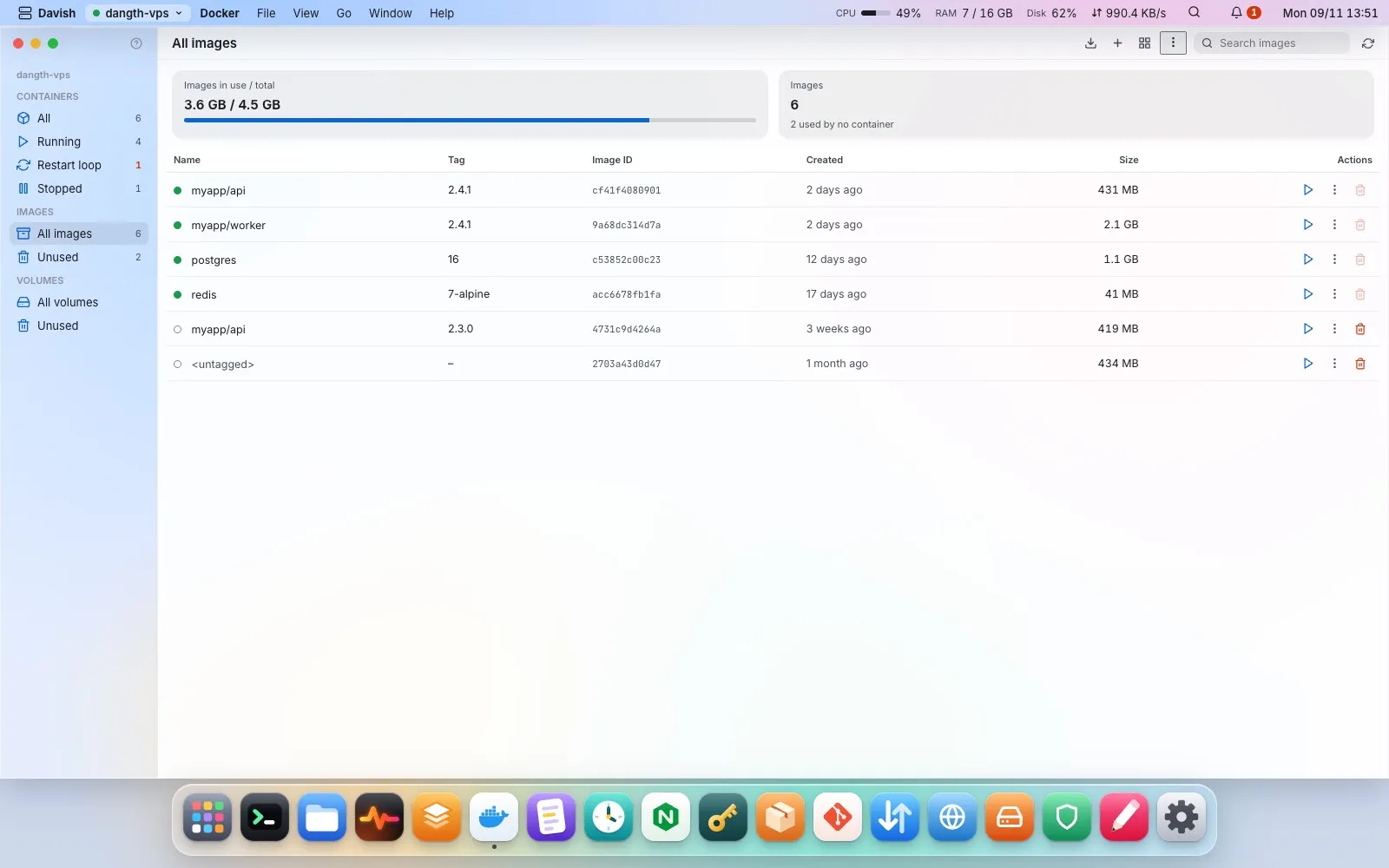
Laid out like Docker Desktop. Containers as cards or in a table, switched from the toolbar. The table is the default. Cards give each compose project, or lone container, one card: the project’s own favicon, else the framework its code uses (Next, Nest, Express, Django, Laravel…, read from package.json and the like in the project folder over SFTP), else the logo of an image Davish knows (n8n, WordPress, Postgres…); nothing when none is found, how many of its containers run, its image, the ports it publishes (click one to open it in Davish’s browser), CPU and memory, and a red edge when one keeps restarting; click the card for its containers. The table shows each container’s logo, its name over its image, its state, ports as 8080→80, CPU, memory and age, grouped by compose project with a tree line and the CPU and memory they use together on the project’s row; restart, start or stop, delete and a ⋮ menu (logs, a shell in the container, details) sit right on the row, every destructive one showing its exact command first. A published port opens in Davish’s own browser. Images with how much space the used ones take, their layers and config; run one in a terminal or remove the unused. Volumes with their size and whether a container still uses them. Restart-loop alerts stay.
Pull an image… and Run a new container…: a form for name, image, ports, environment (typed or a .env file), volumes, restart policy and network builds the full docker run line. Ports bind 127.0.0.1 unless you say otherwise, with a warning for 0.0.0.0. The command is typed into a terminal so you press Enter and watch the progress.
Compose: each project’s ⋮ menu has up, pull, restart and down, plus its compose file in the Editor; New compose stack… writes a compose.yaml from a template (one container, web + database, app + Redis) into a folder, never over an existing one. Create networks and volumes, and copy any container as the docker run command that would make it again.